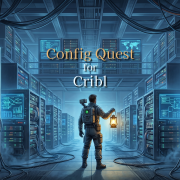
Managing distributed data pipelines can quickly feel like searching for a needle in a haystack. That’s why we recently launched Config Quest for Cribl. It’s a lightweight, read-only app designed to give you instant, cross-group context. Check out our demo to see how it works.
Video Summary:
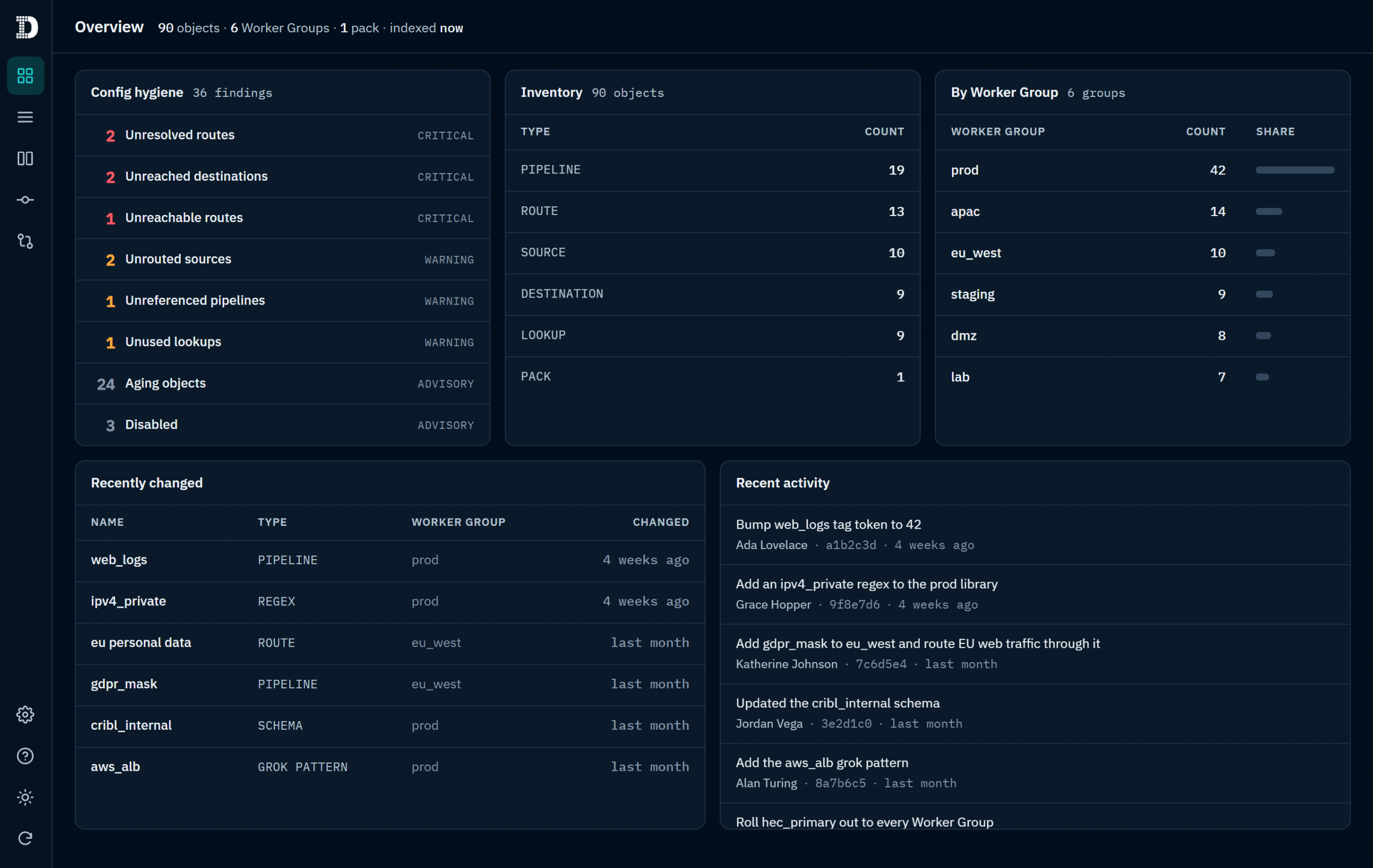
Spot Bad Hygiene Instantly: In the Overview dashboard, you will see how the app automatically surfaces critical environment issues like stranded sources, unreached destinations, and unreferenced pipelines.
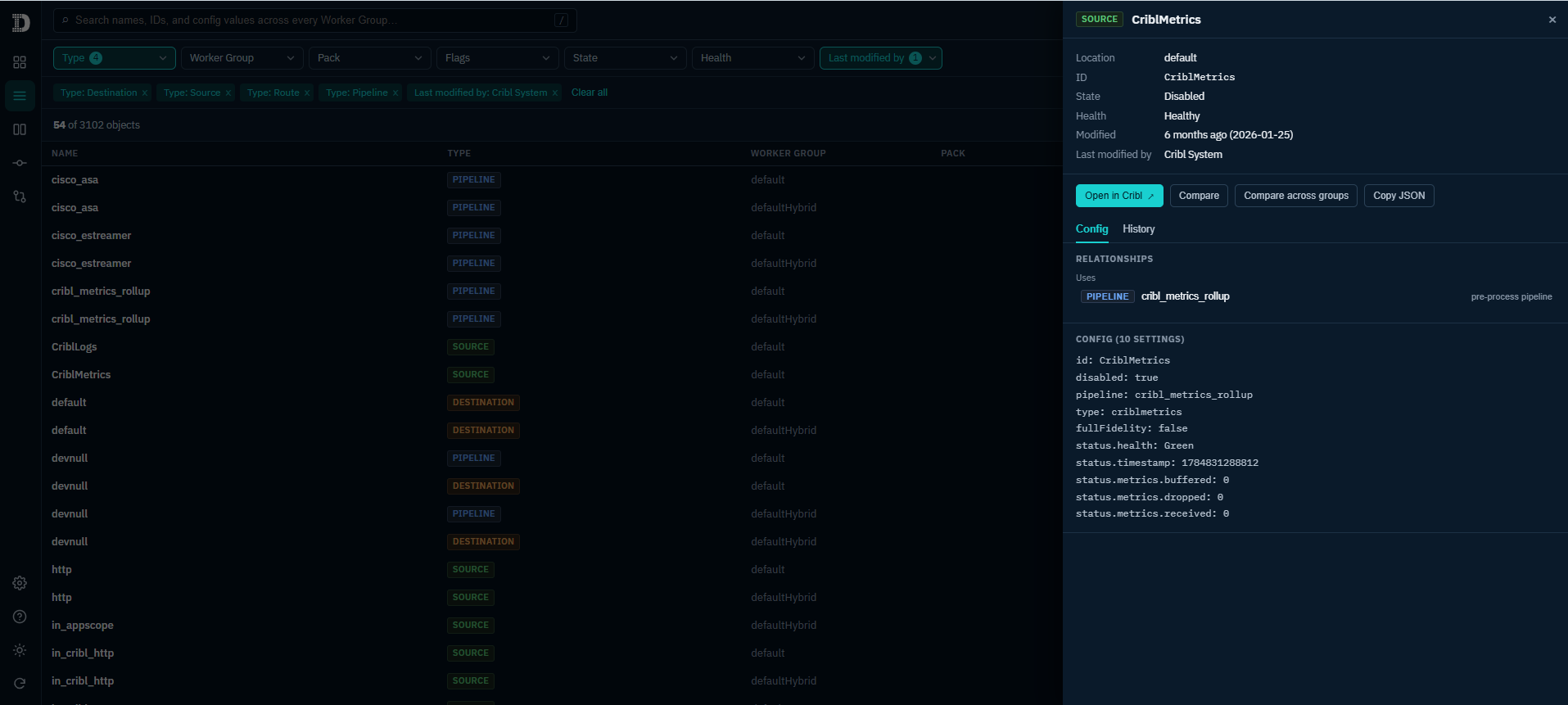
Deep, Regex-Powered Searching: If you only have a port number or a fragment of a hostname, we demonstrate how to search the values inside your configurations, then use the auto-generated relationships graph to see exactly what feeds into a specific pipeline.
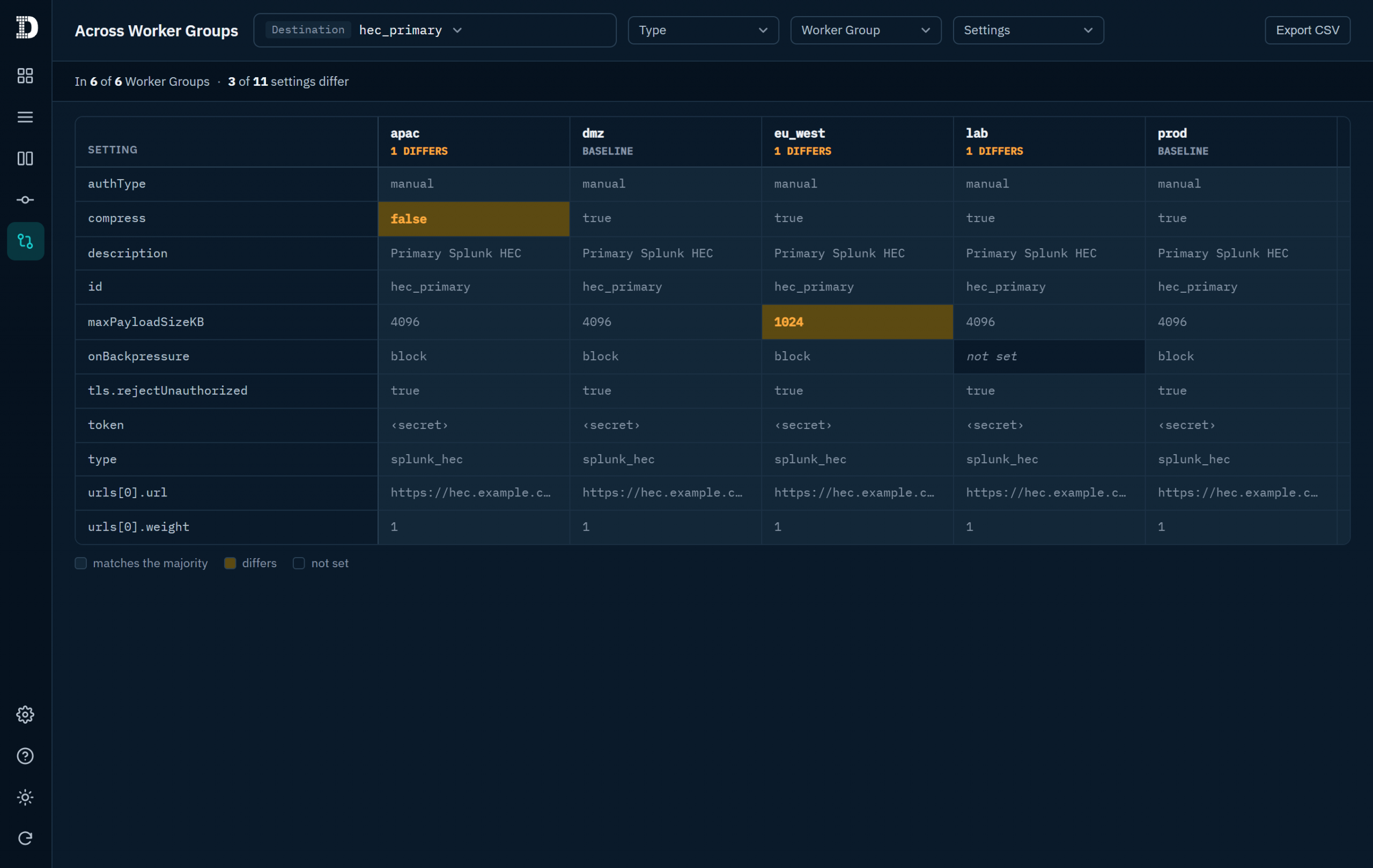
Configuration Drift: The Compare and Differences tabs to matrix an object (like a hec_primary destination) across multiple Worker Groups, instantly highlighting drift.
Tracking Git History Without Leaving the UI: See how you can identify who changed the web logs pipeline, and when. The Commits tab shows how Config Quest pulls the Leader’s Git history directly into your workflow so you can pinpoint the exact commit that caused an issue.
We built Config Quest to bring much-needed context to the DevOps and security teams doing the heavy lifting in Cribl every day. It doesn’t write, it doesn’t deploy; it strictly gives you clarity to keep your pipelines clean and drift-free.
If you’ve spent any time running Cribl Stream across large, enterprise environments, you already know the story. You start with a clean architecture: a couple of sources, a handful of pipelines, and a few well-defined routes. Fast-forward six months, and your deployment has expanded into dozens of Worker Groups, hundreds of routes, nested packs, and knowledge objects managed by multiple team members.
Suddenly, answering simple operational questions becomes a manual hunting exercise: Is this pipeline actually being used? Who modified this lookup table last week? Do we have configuration drift between our production and staging Worker Groups?
In large-scale observability setups, tracking configuration sprawl across distributed environments is notoriously tough. Poor configuration hygiene doesn’t just clutter your UI – it leads to orphaned pipelines, unrouted sources, and unaccounted-for drift across Worker Groups. That’s precisely why we’ve focused heavily on Cribl configuration management and building tools that make Stream hygiene effortless. Today, we’re walking through Config Quest for Cribl – a single place for Cribl administrators to search, browse, audit, and understand full configurations across every single Worker Group.
Config Quest for Cribl gives Cribl administrators a single pane of glass to search, browse, audit, and understand the full configuration across every Worker Group – including Pipelines, Routes, Sources, Destinations, Lookups, Packs, and all Knowledge objects.
Best of all, it’s strictly read-only. It never creates, modifies, or deletes any Cribl resource.
+-------------------------------------------------------------------+
|                        CONFIG QUEST APP                           |
+-------------------------------------------------------------------+
                                  |
   +------------------------------+------------------------------+
   |                              |                              |
   v                              v                              v
[ Global Search & Filter ]    [ Config Hygiene ]         [ Audit & Drift ]
Full-text query across        Automated checks for       Git history, commit log,
names, IDs, & values          orphaned/unrouted objects  & Worker Group drift matrix
Key Capabilities in This Release
Full-Text Search: Query across object names, IDs, and flattened configuration values across every Worker Group simultaneously.
Browse & Filter: Filter by Type, Worker Group, Pack, State, Health, and last modified by – complete with one-click CSV export.
Config Hygiene Findings: Automated flags for unreferenced pipelines, unresolved routes, unused lookups, dead-end sources/destinations, and disabled or stale objects – each assigned customizable severity tiers.
Worker Group Drift Matrix: A dedicated settings × groups comparison matrix that highlights configuration differences across your Worker Groups at a glance.
Side-by-Side Comparison: Compare any two objects of the same type side-by-side to quickly pinpoint setting variances.
Git-Backed Change History: Inspect last-changed dates, commit authors, per-object diffs, and a full commit log browser powered directly by Cribl’s underlying Git versioning.
Deep Linking: Use “Open in Cribl” deep links to jump straight from any object in Config Quest directly into the relevant Leader UI page.
Why Native Cribl Stream Hygiene Matters
When managing complex Cribl Stream environments, getting a true operational picture requires looking at configuration data holistically. By integrating directly into the Cribl App Platform, Config Quest for Cribl solves core configuration challenges natively.
1. Stopping Config Drift Across Worker Groups
As organizations scale, keeping Worker Groups synchronized becomes a constant battle. Config Quest for Cribl’s settings×groups matrix visualizes configuration differences instantly, showing you where settings have drifted between environments so you can fix inconsistencies before they impact data flow.
2. Automated Hygiene & Graph Inspection
Unreachable routes and orphaned pipelines quietly consume operational mental bandwidth. Config Quest for Cribl scans your setup to catch common structural issues before they cause incidents:
Common Hygiene Flags Caught:
Dead-End Sources & Destinations: Active endpoints receiving or expecting data without proper route binding.
Unresolved Routes: Routes that fail to resolve or sit behind catch-all rules.
Unreferenced & Stale Objects: Unused pipelines, dormant lookups, and disabled objects sitting idle in your system.
3. Native Health Telemetry & Deep Integration
Rather than guessing whether an object is operational, Config Quest for Cribl pulls real-time health statuses per object directly from the Leader’s status endpoints. When you spot an anomaly, deep links take you straight to that object in the Leader UI for immediate remediation.
Built for Security: Read-Only by Design
We know that enterprise administrative tools must adhere to strict security posture requirements. Config Quest for Cribl is engineered with a zero-risk footprint:
Strictly Read-Only: All API paths declared in the app’s policies.yml use GET actions. The app cannot modify or delete your Cribl infrastructure.
No External Footprint: Config Quest for Cribl makes zero external API calls and requires no external credentials.
Transparent Permissions: When installing, Cribl displays every declared API path upfront for administrator review.
Overview Dashboard & Getting Started
Getting started with Config Quest for Cribl takes less than a minute. Upon first opening, the app indexes your configuration – a one-time background build that typically completes in under 60 seconds. Subsequent opens load instantly from the cached index, which is shared seamlessly across all authorized users in your organization.
Once indexed, the Overview page gives operators an at-a-glance readout:
Hygiene Summary: Active warnings and critical findings.
Fleet Inventory & Health: Complete object breakdown and telemetry status.
Audit Activity: Recent configuration changes and the latest commit history.
Summary & Next Steps
Proactive Cribl configuration management shouldn’t require manual spreadsheet auditing or clicking through dozens of Worker Group sub-menus. With Config Quest for Cribl, you gain instant full-text search, automated hygiene findings, and full commit history – all within a secure, read-only interface.
Requirements for installation are simple: you need Cribl Stream (with the Cribl App Platform available in your organization) and an Organization Administrator role to install.
Want to clean up your Stream deployment and eliminate config drift?Contact our data observability experts today to learn more or request a walkthrough of Config Quest for Cribl.
Learn more about Config Quest for Cribl by watching the Demo video.
https://discoveredintelligence.com/wp-content/uploads/2026/07/Config-Quest-for-Cribl-Release.png12001200Mihir Meswaniahttps://discoveredintelligence.com/wp-content/uploads/2013/12/DI-Logo1-300x137.pngMihir Meswania2026-08-04 09:19:002026-09-10 16:24:46Introducing Config Quest for Cribl: The All-in-One App for Configuration Visibility and Hygiene
Splunk Asset and Risk Intelligence (Splunk ARI) keeps track asset and identity discovery activity over time. This activity supports investigations into who had what asset and when, in addition to providing insights about asset changes over time and when they were first or last discovered. In this post, we highlight three use cases related to asset activity using Splunk ARI.
https://discoveredintelligence.com/wp-content/uploads/2025/03/ari_first_last_discovery.png8321402Discovered Intelligencehttps://discoveredintelligence.com/wp-content/uploads/2013/12/DI-Logo1-300x137.pngDiscovered Intelligence2025-03-31 14:55:352025-05-28 16:27:31Reveal Asset and Identity Activity with Splunk Asset and Risk Intelligence
Splunk Asset and Risk Intelligence (Splunk ARI) has powerful asset and identity investigative capabilities. Investigations help to reveal the full asset record, cybersecurity control gaps and any associated activity. In this post, we highlight three use cases related to asset investigations using Splunk ARI.
https://discoveredintelligence.com/wp-content/uploads/2025/03/ari_subnet_investigation.png8321402Discovered Intelligencehttps://discoveredintelligence.com/wp-content/uploads/2013/12/DI-Logo1-300x137.pngDiscovered Intelligence2025-03-25 13:44:082025-05-22 13:39:10Investigating Assets and Identities with Splunk Asset and Risk Intelligence
Splunk Asset and Risk Intelligence (Splunk ARI) continually discovers assets and identities. It does this using a patented approach that correlates data across mulitple sources in real-time. In this post, we highlight three use cases related to asset discovery using Splunk ARI.
https://discoveredintelligence.com/wp-content/uploads/2025/03/ari_cloud_discovery.png8321402Discovered Intelligencehttps://discoveredintelligence.com/wp-content/uploads/2013/12/DI-Logo1-300x137.pngDiscovered Intelligence2025-03-20 14:09:012025-05-13 12:45:03Discovering Assets and Identities with Splunk Asset and Risk Intelligence
Splunk Enterprise 7.2 is the latest release from Splunk and was made available during Splunk .conf18 in Orlando. Many new features were added which will improve Splunk Enterprise from administration and user experience, to analytics and data onboarding. Read more
https://discoveredintelligence.com/wp-content/uploads/2018/10/splunk-enterprise-ui-dark-mode.png23953408Discovered Intelligencehttps://discoveredintelligence.com/wp-content/uploads/2013/12/DI-Logo1-300x137.pngDiscovered Intelligence2018-10-15 19:10:272022-11-02 14:08:51Splunk Enterprise 7.2 New Features
Discovered Intelligence is proud to announce that co-founder and Partner Josh Diakun was inducted into the 2019 SplunkTrust class at this year’s Splunk .conf18!
SplunkTrust members are the most dedicated members of the Splunk community. They assist other members, participate in events, demonstrate the power of Splunk’s products and services, and help identify future product needs.
As a leader at Discovered Intelligence, Josh demonstrates these values every day and it is an amazing recognition of the contributions he has made.
Congratulations Josh! We look forward to seeing you with your Fez!
https://discoveredintelligence.com/wp-content/uploads/2018/09/200px-Splunktrust_square_logo.png200200Discovered Intelligencehttps://discoveredintelligence.com/wp-content/uploads/2013/12/DI-Logo1-300x137.pngDiscovered Intelligence2018-10-11 19:37:112025-12-17 16:36:07Josh Diakun Inducted into the 2019 SplunkTrust
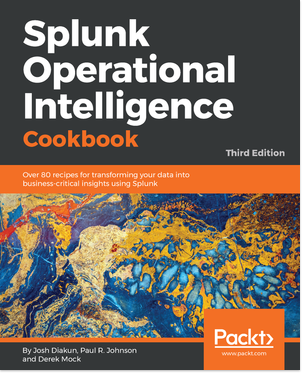
Looking to master your Operational data? Authored by leading experts from Discovered Intelligence; the Third Edition of the Splunk Operational Intelligence Cookbook has been completely refreshed for Splunk 7.1 and provides hands-on, easy to follow recipes that will have you mastering Splunk and discovering new insights from your operational data in no time. Leveraging our years of expertise, the book is filled with best practices and packed with content, that will get you hands-on with Splunk right from the first chapter.
https://discoveredintelligence.com/wp-content/uploads/2018/09/B09825_0.png373302Discovered Intelligencehttps://discoveredintelligence.com/wp-content/uploads/2013/12/DI-Logo1-300x137.pngDiscovered Intelligence2018-09-17 13:57:272025-12-17 16:36:14Splunk Operational Intelligence Cookbook – Third Edition – Now Available
To mark Splunk .conf 2017, Discovered Intelligence is pleased to announce that the second edition of the Splunk Operational Intelligence Cookbook will be available at a discount until October 31st, 2017!
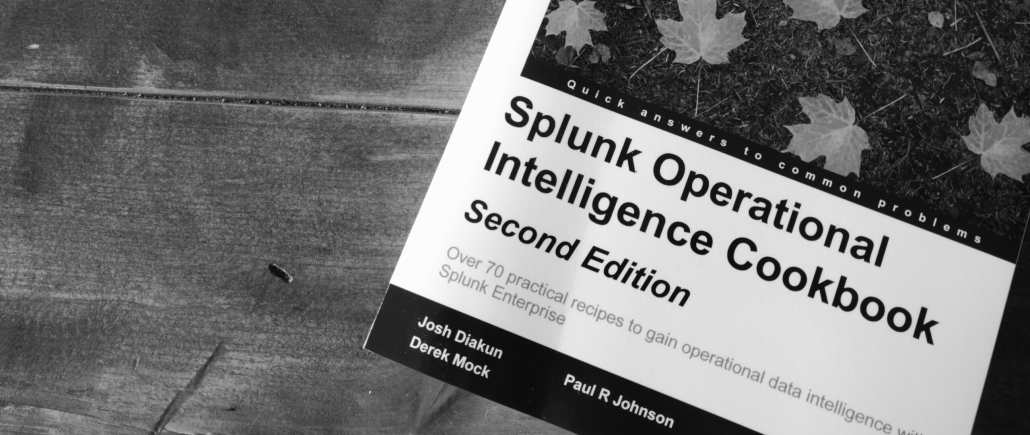
Looking to master your Operational data? Authored by leading experts from Discovered Intelligence; the new Splunk Operational Intelligence Cookbook provides hands-on, easy to follow recipes that will have you mastering Splunk and discovering new insights from your operational data in no time. Leveraging our years of expertise, the book is filled with best practices and packed with content, that will get you hands-on with Splunk right from the first chapter. Read more
https://discoveredintelligence.com/wp-content/uploads/2013/12/DI-Logo1-300x137.png00Discovered Intelligencehttps://discoveredintelligence.com/wp-content/uploads/2013/12/DI-Logo1-300x137.pngDiscovered Intelligence2014-10-31 17:20:312022-10-31 16:53:03Master your Operational Data, with the Splunk Operational Intelligence Cookbook



 Discovered Intelligence is proud to announce that co-founder and Partner